Workflow and measurement
How to handle appointment reminder replies at a busy front desk
Set clear rules for confirmations, changes, unknown replies, and handoffs without asking staff to check three inboxes.
What should an appointment reminder system do with a reply that says “can I come later?”
Treat it as a request, not a change. Keep the booking as it is, send the reply to a staff queue attached to that appointment, and tell the client the current time still stands until someone confirms a new one. Only clear keywords should change a record on their own.
| Reply | Automatic action | Who acts next |
|---|---|---|
| C or "yes" | Mark confirmed; cancel the same-day nudge | Nobody |
| R or "can I come later?" | Nothing changes; open a request on that booking | Staff offer real open times |
| X or "cancel" | Cancel and free the slot, if your policy allows | Waitlist offer goes out |
| STOP | Opt the number out of all texts | Nobody; keep the record |
| "Wrong number" | Stop texts to this number; flag the record | Staff verify the contact |
| Anything else | Nothing changes | Staff read and reply |
Holding reply
Thanks! We've passed this to the team and will text you shortly with times that work. Your current booking stays until you hear back.
How should a two-location business route confirmations when a client has two open appointments?
Don't let a bare C confirm both. Apply a keyword reply automatically only when the number has exactly one upcoming booking that is waiting for an answer. When there are two, route the reply to the location that owns the soonest one and ask which visit the client means.
Thanks! You have two upcoming visits: Tue, Dec 8 at 2:00 PM (Pine St) and Fri, Dec 11 at 10:00 AM (Harbor Rd). Reply 1 or 2 to confirm.
Give each reminder its own booking link so a tap always acts on the right visit, and make sure each location sees only its own clients' replies.
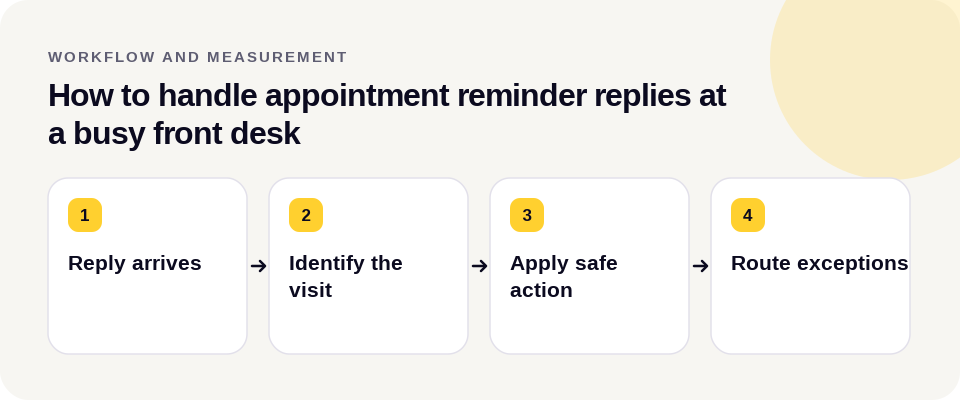
A confirmation reply is useful only when it changes the state the employee relies on and tells the customer what happened. Reply instructions should be short, such as “Reply C to confirm or call if you need a different time.” Support only the actions you can interpret reliably. Customers will still send natural language, share phones, reply to older messages, and combine requests. Design for those normal behaviors before turning on automatic confirmations across your whole schedule.
Separate acknowledgment from final approval
If somebody replies “C” to an unambiguous reminder, an automation can mark that upcoming visit confirmed and send a concise acknowledgment with its date and time. If the person says “Can we do 3 instead?”, that is a change request, not a confirmation and not an approved reschedule. The original booking stays on the calendar until a verified new time is agreed. Tell customers whether it remains booked so they do not try to interpret silence. If your policy allows self-serve changes, direct the customer to a live availability page rather than promising a slot in a free-form reply.
Similarly, “No, I can’t make it tomorrow but my partner will” has two ideas. Do not treat every “no” as an instruction to cancel. If the business allows customer substitutions, an employee needs to confirm eligibility and update the right details. A useful exception queue highlights uncertain intent and time remaining. A rule that performs a destructive action simply because an English word occurs can turn a recoverable scheduling issue into a customer-facing mistake.
Map a reply to an appointment, not just a phone
Start with a reminder-to-appointment association when your system provides it. Store the send time, channel, and appointment occurrence. For a shared inbox without a reply reference, look at active appointments associated with the verified contact. If only one eligible visit exists and matches the prompt you sent, offer the simplest action. If two possible visits exist, do not guess. Ask the sender to use the confirmation link from the correct reminder or contact the desk if there is no safe way to disambiguate.
Shared numbers are common in family bookings, office assistants' schedules, and households with one account. Staff should not disclose unrelated appointment details during clarification. “Which day are you writing about?” is safer than listing dates and services for every profile matched to the phone. Train people not to attach identity to a text thread forever; numbers change, contact records get corrected, and someone with access to an old conversation is not necessarily the current account holder.
Write a narrow automation contract
List the exact tokens that can change a state, how you normalize them, and what happens if matching fails. Trimming spaces or comparing an uppercase version of a single expected token is a reasonable starting point. Preserve the original text for review under your retention policy. An exact positive action should still do nothing if the visit is already canceled, no later than the scheduled start, or no longer linked to that contact. Record the applied action so webhook duplication or a second “C” does not send confirmations repeatedly.
Keep opt-out processing distinct from booking-action handling. A text asking to stop messages should reach your suppression workflow and should not be misread as “cancel appointment.” Other unsubscribe expressions may require manual review depending on the channel and your messaging policy. If you use a provider with built-in keyword handling, coordinate that behavior with your own contact preferences instead of maintaining an independent “allowed” flag that can contradict the provider.
Design the queue for the person who is working
Use one inbox where possible. Show unhandled replies ordered by start time, with an annotation for messages that arrived outside staffed hours. Assign a real owner for the opening and closing shifts. Display the source booking and the most recent customer-facing message, but restrict access to only the contact detail needed to do the job. If several team members can reply, use a claim or assignment step so two people do not offer different times simultaneously.
Give the front desk a few approved replies. For a change request: “We’ve received your request for a different time. Your original booking remains scheduled until we confirm a new time.” For a recognized duplicate: a second message usually adds no value; let the prior acknowledgment stand. For an ambiguous request: “Could you confirm the date of the appointment you want to change?” Adapt wording to your actual staffed hours and contact methods, and never announce a booking change you have not saved.
Run a reply drill
Create two upcoming visits with the same test number, send a reminder, then reply with the positive token. Verify the workflow handles ambiguity rather than moving the wrong appointment to confirmed. Next, move a test visit, then reply to the older reminder. Confirm no action applies to the obsolete occurrence. Test a straightforward reschedule question, a bare question mark, an opt-out, and a clearly wrong number. Finally, have a staff member attempt to respond while another employee has claimed that thread.
| Measure | What it tells you |
|---|---|
| Resolved before visit start | Whether the inbox actually helped the customer and prevented desk surprises. |
| Incorrect state changes | Whether confirmation matching is too permissive or uses outdated booking details. |
| Time to first human reply | Whether you have enough staffed coverage during the hours reminders generate questions. |
Do not mistake “high confirmation rate” for a smooth workflow. A business can confirm many visits and still mishandle the ten percent of replies that matter most. Sample threads each week and inspect the match, the final calendar entry and the customer's acknowledgment. Treat an incorrect cancellation as a process failure in its own right rather than hiding it inside an average response time.
For an overnight queue, decide which replies can wait until the next staffed shift and which appointments need earlier review. At opening, compare unresolved replies against the next two hours of bookings rather than processing strictly oldest first. Record the accepted appointment change before sending the final acknowledgment. If a customer later calls, the desk should see a dated disposition and not have to infer the status from an employee's text. Never make someone reconfirm a completed action simply because they used a second channel.