Copyable templates
Appointment reminder text message templates clients can act on
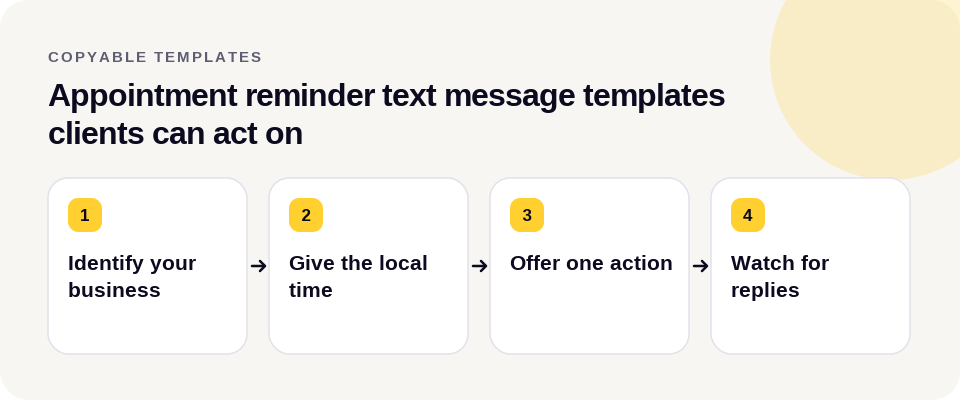
A useful appointment reminder text identifies the sender, states the date and time, and gives the recipient one workable next step. Before reaching for a clever phrase, decide whether you need a reply. A simple heads-up can end with a staffed phone number or a working booking link. A confirmation request needs a monitored number, staffed inbox, or connected action link. The client should never have to guess whether anybody will read their response.
What should a 24-hour and a 2-hour appointment reminder text say?
Send the day-before text with the sender, date, time and a way to reschedule. Send the 2-hour nudge only to clients who haven't confirmed.
24 hours before · GSM-7, 115 characters, 1 segment
Maple Studio: Hi Alex, a reminder of your appointment Tue, Dec 8 at 2:00 PM. Reply C to confirm or R to reschedule.
2 hours before · GSM-7, 104 characters, 1 segment
Maple Studio: See you today at 2:00 PM, Alex. Running late or need a new time? Reply R or call 555-0108.
Skip the second nudge when the client already replied C, when the booking was made or moved in the last few hours (the booking confirmation already did that job), or when the 2-hour mark falls outside your sending window, such as before 8 AM.
Routine appointment
Maple Studio: A reminder for your appointment Fri, Mar 12 at 2:30 PM at our Pine St location. Reply C to confirm or call 555-0108 to change it.
Start with the recognizable business name, not "Hi!" A customer with multiple appointments can identify this one from the lock screen. Friday and March 12 are more resilient than "tomorrow" if the message is delayed. The two actions are clearly different: a single-character confirmation and a phone call for changes. If only the phone channel exists, ask for a call instead of offering reply keywords you cannot interpret.
First visit with a location decision
North Bench: Your appointment is Tue, May 18 at 10 AM, 16 East St (side door by the blue sign). Questions or changes: 555-0114.
The door instruction is justified because it prevents customers from arriving at the wrong entrance. It is more valuable than a second greeting, a mission statement, or a long explanation of parking. If a building has several entrances, make the instruction stable enough to save as part of the location record. Keep lengthy accessibility or transport directions on a separate, accessible page; include a direct contact for anyone who cannot use that page.
Remote appointment
Harbor Coaching: Your video appointment is Wed, Apr 7 at 1 PM ET. Join from your booking email. Need a new time? Call 555-0132.
A video reminder should answer whether the customer needs to travel. Reusing the original event email can be simpler than pasting a long meeting URL into SMS, provided the link is still valid and easy to find. For a time that crosses regions, show the zone and ensure that it corresponds to the displayed time. Avoid sending one generic zone suffix to every customer if your scheduling system already adjusts the clock.
Make the last sentence true
Test the line that says "Reply C" from a normal customer phone. Verify the response is attached to this exact booking, not merely visible in an inbox. A customer may have two bookings with the same number, so the right behavior when a reply is ambiguous is a staff review or a link tied to the specific booking. If the phone number cannot receive replies, explicitly provide the staffed route. A short message that reaches the correct queue is more useful than a polished message leading nowhere.
A sender may also need to handle "I will be late" or "my child is sick." Decide who will see such responses and what they can do. Nobody needs an automatic answer that implies a change has already happened when it has only been requested. At a small studio the front desk might handle the shared inbox; at a multi-location operation the venue receiving the customer should own the resolution. Test before adding another location.
Design fields that survive real bookings
Render three drafts from the same template: a short customer name, a long location label, and a record with missing contact information. If a name or staff member is optional, omit the entire phrase around that field when empty. If date, time, or the correct response destination is missing, suspend the send and show an actionable error to staff. Literal placeholders tell customers that your system has lost track of the booking.
Think separately about a privacy failure. A shared phone can display a message on a lock screen or notify another member of a household. State only what the recipient needs for attendance. The safest general default is the business name and appointment logistics without unnecessary personal details, treatment names or account identifiers. Use an approved private channel for anything outside those logistics.
Build a small launch test
Begin with one team, one brand name and one kind of booking. Send to staff phones on at least two common device types and check whether the first part of the message identifies the sender. Try confirming, responding with an ordinary sentence, and moving an appointment before the next reminder is due. Test an invalid number without using someone else's real contact information. Document what the staff member sees, where, and how quickly they will normally act.
When measuring the pilot, distinguish sent, delivered, replied, confirmed and attended. Those are different states with different failure modes. A high delivery count plus low replies may mean customers understood the information but found no reason to answer, or that your action text is vague. A genuine missed visit is different from a cancellation with advance notice. Label both so you can improve the process without mistaking one for the other.
When to use more than one message
An informational email at booking and a timely text before the appointment have distinct jobs. The former carries durable details; the latter prompts action near visit time. A second text may help where customers actually need arrival instructions or where unresolved appointments are reviewed before a fillable cutoff. Avoid repeating the same information by both channels at the same moment simply because both are available.
For a newly booked slot that falls into your reminder window, decide whether the booking receipt already serves as the reminder. Avoid sending two similar texts seconds apart. A booking updated after a reminder requires a new, explicit notice and the removal of future jobs for the old time. Ask one colleague to move a pilot booking from Thursday to Friday and confirm that no Thursday reminder survives.
Before you publish the template
Read it from a recipient's perspective: who sent it, what appointment is this, exactly when is it, and how do I get help? Preview expanded variables, choose a safely routed fallback, and check that any links open well on mobile. Preserve meaningful names and the actual appointment time before polishing minor wording. Then monitor the first production batch rather than assuming a staging test covered every real case.
Frequently asked questions
What are text appointment reminders?
Text appointment reminders, also called SMS appointment reminders, are short text messages sent before a booked visit with the date, time and a way to confirm or reschedule. They work best when the client can reply and someone, or the system, acts on the reply.
What are some appointment reminder text examples?
Day before: "Maple Studio: Hi Alex, a reminder of your appointment Tue, Dec 8 at 2:00 PM. Reply C to confirm or R to reschedule." Same day: "Maple Studio: See you today at 2:00 PM, Alex. Running late or need a new time? Reply R or call 555-0108." Each names the sender first, gives the day and time, and offers one clear action in a single SMS segment.
Are there free appointment reminder text templates?
Yes. Every template on this site is free to copy, and the generator fills in your details and shows the SMS segment count.
How do I send a reminder text without sounding pushy?
Lead with your business name, state the facts, and offer an easy way to move the booking. "Need to change it?" reads as helpful; "Don't forget!" reads as nagging.