Copyable templates
24-Hour vs Same-Day Appointment Reminders: Choose by the Job
A day-before appointment reminder is most useful when someone has time to confirm, prepare, or release a slot. A same-day reminder is most useful when it helps a person take a timely arrival action. There is no universal best interval. Decide what the reminder changes, schedule it at a reasonable local hour, then measure that outcome for your own bookings. A second reminder is justified when it does a different job.
When should you send appointment reminders?
At booking, about 24 hours before, and about 2 hours before for unconfirmed visits only. Good appointment reminder timing makes the 24-hour appointment reminder the main one, and keeps every message inside a sending window such as 8 AM to 8 PM in the client's time zone.
| When | Send | Skip it when |
|---|---|---|
| At booking | Confirmation | Never |
| 2 to 7 days before | Early reminder for far-out bookings | Booked within the last week |
| About 24 hours before | Main reminder with C / R options | Booked in the last few hours |
| About 2 hours before | Short nudge with arrival details | Already confirmed, or outside the sending window |
For a 9 AM visit, send the day-before reminder in the afternoon, not at 7 AM on the day.
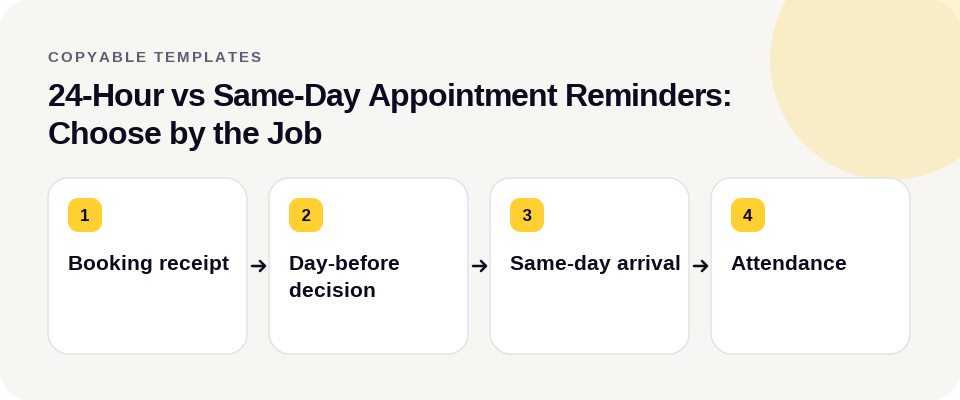
Use a day-before message to make plans
North Bench: Your appointment is Tue, May 18 at 10 AM. Please confirm by 5 PM today at [booking link]. Need a new time? Call 555-0114.
This version is useful when the business runs a waitlist, has preparation instructions, or needs to assign staff ahead of time. If there is no actual confirmation deadline, do not insert one just to encourage replies. A desk that closes before 5 PM should not promise a staffed decision at that cutoff. Align the windows so someone can take the next action before an unfilled slot becomes unavoidable.
A literal 24-hour offset from a 7 AM booking can put the previous day's send unusually early. Some teams choose a daytime window on the previous local calendar day instead. Either design can be reasonable. Be explicit about which you mean when documenting the system, and test around Sunday openings, holiday closures, and time changes. The scheduling choice should respect your constraints and any applicable messaging rules, not simply copy the number in a competitor article.
Use same-day copy for the next physical action
North Bench: See you today, Tue May 18, at 10 AM, 16 East St. Use the side door by the blue sign. Running late? Call 555-0114.
A same-day notice is good at highlighting an entrance, a join link, or public transport disruption relevant to this visit. If it simply repeats an already-confirmed time, ask whether it is worth another interruption. Remote meetings may benefit from a quick working join link, while someone travelling a long way needs preparation substantially earlier than the time they would normally leave. Pick the lead time for the action, not for the sake of sending a second message.
For work at a customer's property, don't send a firm arrival minute unless you can fulfil it. "We expect to arrive between 10 AM and noon" can be a useful day-of warning when the team works in windows. If the time is later updated, send a clear update instead of another generic reminder with a different time fragment.
Make the boundary cases explicit
When an appointment is booked inside the reminder window, skip the stale reminder or use the booking receipt as its substitute. A booking recorded at 9 AM for 10 AM should not get a day-before notification followed by a second duplicate at 9:01. If you send a just-in-time logistics message, keep its difference obvious. When the appointment moves, replace the schedule attached to the old time rather than firing both versions.
If a reminder falls outside your permitted window, choose whether it moves earlier, moves to the next permitted time, or is suppressed. A late message about a visit that has already started is rarely useful. Always calculate the visit and local send time from explicit zone data; display the actual local date and time in the copy where a delayed delivery would make "tomorrow" ambiguous. Add rules for fixed-location and virtual appointments separately if your users need both.
Compare sequences, not just templates
For a first test, keep the wording, route and type of visit as similar as practical. Compare a day-before-only sequence with a day-before plus a logistics message. Choose the intended outcome before looking at the numbers: attended appointments, bookings released in time to refill, or fewer calls asking for directions. Changes in season, appointment type and staffing can alter results, so a before-and-after difference alone is not necessarily caused by reminders. Where practical split comparable bookings between variants.
Count appointment-level results. One customer who receives two messages should not double your denominator if the outcome is attendance. Also track complaints, duplicate notices and staff time resolving responses. Even a noticeable improvement in replies may not justify a second touch if almost all those appointments would have arrived naturally and the desk must now triage additional mail.
Example: two businesses, two decisions
A dog grooming business with a waitlist might want confirmation the day before and no routine same-day prompt for established clients. It can add a same-day route note only for first visits or temporary road closures. A remote education service might need an email at booking and a brief join reminder close to each lesson, while the decision to move a session should happen earlier. The operation makes those patterns different even if both descriptions say "appointment reminders."
A first pilot can use ten staff-controlled test bookings before real traffic: early and late start, holiday, same-day registration, changed booking, cancelled booking, remote zone, long travel, confirmed customer, and a pending reply. Read the message log and inspect the customer view for each. A schedule that behaves well on a single weekday may fail most visibly around a weekend or staff closure. Record exceptions in plain language so a colleague can reproduce them later.
Decide which sequence to keep
Start with fewer messages. Keep a second notice only if it serves a real purpose and your team can handle what it invites. If you see lots of confirmations but arrivals remain difficult, improve access instructions first. If people cancel at the last minute, check whether earlier action was possible rather than increasing the send count. Document one default, its permitted exceptions, and the date you will review it after rollout.
A workable late-booking rule
A useful starter rule is: if a late booking already got a clear receipt, suppress the missed day-before reminder; send a later message only if it contains a specific arrival or join instruction worth the interruption. The cutoff depends on the operation. For a service with appointments in the next hour, prepare the customer in the booking receipt itself. For a booked afternoon workshop, one separate logistics message may still be useful if participants need time to find the right building.