Industry playbooks
Veterinary appointment reminders that owners can act on
Plan veterinary SMS and email reminders for multiple pets, first visits, arrival details, late changes, and calls for clinical triage.
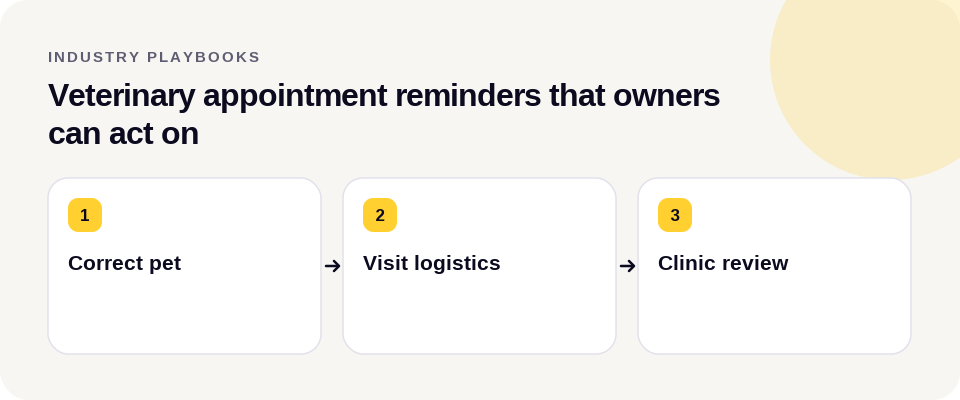
Start with the right household and the right appointment
A veterinary practice may use one phone number for two pet owners, several animals, and a board of appointments at different times. Your reminder should make clear which visit is imminent, but only include the pet’s name in channels your practice considers appropriate. The scheduling record should distinguish practice contact, booking contact, and authorized pickup contact if those roles matter in your office. Don’t update one from another just because a customer replies. Test the common scenario where a dog is booked at one time and the household’s cat has a different slot the same week.
The booking title can also mislead. “Recheck” means something inside a clinic, but a new pet owner may not know whether to arrive separately from a vaccine visit. Keep the message neutral as needed and offer a readily available number for questions. If a booking uses an internal combination of abbreviations, do not automatically insert that name into the customer-facing message. Map each type to a reviewed label. A practice expanding from one location to two should double-check the map; appointment location is not always the clinic nearest the customer’s home.
Use logistics reminders to reduce avoidable waiting
A first-time household is more likely to ask where to park, whether to wait in the car, and how to complete intake. Turn your most repeated directions into one short arrival message tailored to each location. If the clinic requires an outside check-in, say how to let staff know you have arrived. If arrival is straightforward and there is a staffed desk, a day-before reminder can be enough. Do not bury access instructions in a long paragraph about unrelated services. The reminder is meant to help someone arrive ready, not promote add-ons just before they walk in.
Separate visit logistics from the clinic’s clinical preparation instructions. Vaccination records, prior history, medications, feeding, fasting, and specimen handling are not interchangeable things to ask for; some prompts should come only from the veterinary team. Where a reviewed set of instructions already exists for that animal, direct the owner to the expected channel to read it. When someone is unsure whether they followed the instructions correctly, have them call the clinic. Don’t let canned replies imply that staff has reviewed the animal’s situation. Give clients a reliable way to reach the actual people responsible for the visit.
Handle changes carefully when one reply might cover several pets
Suppose an owner replies “We can’t make it Friday” after the practice sent two messages. Does the household want to move one appointment or both? Let staff match the request before canceling anything. One simple rule is to treat an incoming free-text reply as needing review whenever more than one open appointment matches the verified contact. If you use reply buttons, attach each response to an exact booking rather than a global customer status. Give a new confirmation following any actual change, including the new time and correct location; do not rely on the earlier thread to communicate it.
If an animal is arriving with a different adult, staff should check the practice’s usual process before sharing details or changing the person of record. Avoid asking reply senders to include private information in their messages when they can call the clinic instead. On the operations side, let the person who changes an event see what notices are pending. Old queued notices should be canceled as part of the update. In adoption or foster settings, distinguish the organization’s account phone number from the person responsible for transporting that animal that day.
Design an explicit boundary for clinical questions
An appointment reminder inbox is not an emergency triage service. Organizations should decide who checks it, at which times, and what staff does when an owner replies with a clinical concern. A clear boundary can be as simple as including the practice’s phone number and publishing where urgent inquiries should go. Follow the practice’s local instructions rather than writing a diagnosis or advising that a concern can wait until a booked visit. Make that distinction in staff training as well: a “need to reschedule” queue does not replace a team member’s duty to route an unexpected concern under the clinic’s protocol.
Practice an out-of-hours drill using test data. Send a normal confirmation reply and a separate message requiring staff attention, then inspect how each lands in the dashboard. A reply marked read but not assigned is not resolved. If the messaging tool doesn’t support ownership, keep a lightweight task with an owner and deadline in your front-desk workflow. Use approved channels for follow-up, and limit any information copied into general logs. That keeps the reminder team able to audit timing without making private communication visible to everyone with calendar access.
Review results beyond appointments attended
Tag avoidable incidents: wrong clinic, outdated number, wrong animal, attempted reply to a one-way number, or unexpected preparation question. Count successful arrivals and earlier reschedules separately from cancellations. If your biggest problem is clients arriving at a door that is closed, an improved check-in instruction can help even without increasing the number of messages. Ask the front desk for three questions it answered most often during the pilot. Make one focused template change for the next cycle and keep the cohort similar so the comparison means something.
A two-pet desk exercise
Give one mock household two pets with overlapping appointment reminders and write a reply saying only “Thursday won’t work.” Ask staff to verify which booking the client means before changing the calendar. Keep the second time intact, log the outcome, and generate the moved visit’s confirmation. Run the same drill using a different authorized contact and check the existing clinic process before copying any details. This catches problems on ordinary weekdays, not just during a particularly chaotic morning. If the change adds a second reminder to the same household, recheck that a reply can still be mapped to only the intended visit.