Industry playbooks
Dental appointment reminders: templates and a clearer front-desk queue
Write neutral dental appointment reminder texts, distinguish arrival and chair times, and organize no-reply and rescheduling workflows.
How do I write a dental appointment reminder and a wrong-number reply that don't mention treatment?
Use only the practice name, date, arrival time and a way to confirm or change. When someone replies "wrong number", stop texting that number, flag the record, and send a reply that confirms nothing about the patient.
Reminder (fictional practice)
Brightside Dental: Reminder of your visit Tue, Dec 8 at 9:30 AM (please arrive by 9:15). Reply C to confirm or call 555-0142 to change it.
Reply after "wrong number"
Brightside Dental: Thanks for letting us know. We've removed this number and won't text it again.
- Turn off automated texts to that number at once.
- Flag the patient record so the front desk confirms contact details through the practice's usual verification process. Use the number already on file, not the one that replied.
- Never send the name, procedure, provider or time to the unknown number.
HHS guidance allows appointment reminders but asks providers to limit what a message discloses. See the HHS references at the end of this guide and review the wording with your privacy lead.
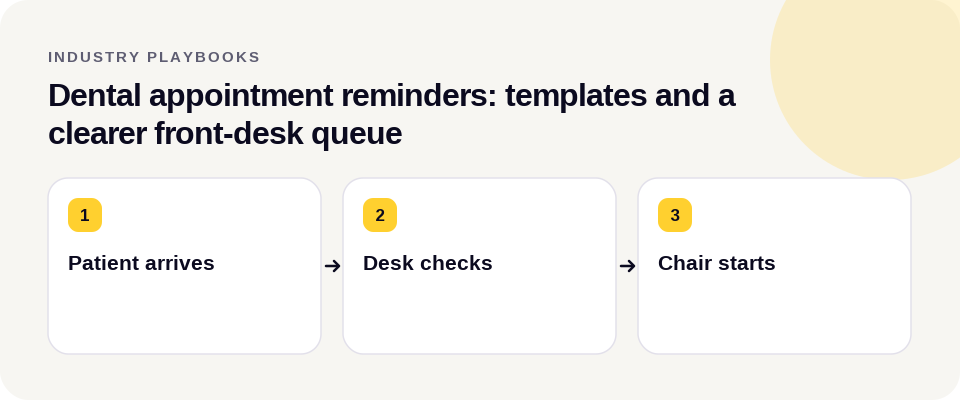
Treat the reminder as the first front-desk handoff
Dental schedules involve more than an open chair. There may be separate provider blocks, assistants, or paperwork checks, and a patient may need to arrive before the clinical team expects to begin. Start by writing down the three time fields your practice actually uses: arrival, scheduled visit, and expected duration. Most SMS reminders need only the arrival and scheduled visit times. If the appointment is at 2:00 and the patient must arrive at 1:45, say both rather than silently replacing one with the other. Use the timing approved by the practice, not a default applied from another office.
Store the appointment owner with the booking. If a hygienist is away and a reschedule request arrives after several colleagues have offered options, a single owner should be able to see which times were offered. A calendar note “calling patient at 4” is preferable to an undocumented assumption that everybody on shift saw the message. It is also helpful to separate the telephone and office fields for multi-location groups. A central desk number may be correct, but the address needs to be the branch reserved for that patient. Test records that include identical street names across two towns.
Plan for shared contacts and different reminder preferences
A household may have three visits booked on one mobile number. If a patient replies “yes,” only process it automatically when the reply clearly corresponds to one booking. If there is ambiguity, have a staff member follow the practice’s identity verification process using the approved channel. A prompt that asks for names and birth dates by text is not a substitute. Capture preferences and contact updates outside the reminder thread. Whenever a contact changes, create a review task for queued jobs so the new record takes effect before the next automated send.
Use a neutral initial notification and limit its details according to the practice’s obligations and communication policy. Do not automatically include a procedure description, images, insurance information, or clinical instructions simply because those fields exist on the appointment record. Let the patient use the practice’s usual approved channel for details. US practices may find the HHS clarification on reminders and safeguards useful, but the exact workflow needs a local review. A sample here is an example of concise wording, not a determination that your patient communication process meets any applicable rule.
Define what a response means before switching on automation
“Confirmed” is an administrative outcome, not a guarantee that someone will attend. “No reply” should not be treated as a cancellation unless the practice has a separately established, disclosed process. A front-desk list can show four useful states: confirmed, no reply, needs a call, and moved. If a patient replies with timing questions and confirms after the conversation, close the needs-a-call item. The inbox should show at a glance who is doing what; assigning the same patient to two different staff members wastes time and can make the practice appear disorganized.
Work through a busy-morning simulation. A phone number bounces, a patient chooses a new time online, a caregiver calls about two identical-looking appointments, and a post-visit question arrives in the reminder inbox. Decide who takes each case and when it moves to a separate workflow. The first three are administrative; the last needs the practice’s approved patient communication process. Do not judge the drill by how fast someone sends replies. Judge whether the calendar, message thread, and staff owner list agree afterwards. Any remaining disagreement is a task to resolve before launch.
Make cancellation slots easy to refill without exposing context
If your practice offers short-notice openings, keep the waitlist separate from the public appointment board. Store the slot attributes your team needs to decide suitability, then use a neutral invitation for the person being offered a time. The previous patient’s name or reason for canceling does not belong in the invitation. A constrained provider or room should be checked before the offer, not once the new patient accepts. Once staff book the new appointment, the person should receive a normal confirmation; expired invitations should no longer let a patient claim a time.
For patients changing a visit, give a clear status and verify the reminder schedule for both records. A common mistake is moving the appointment while leaving tomorrow’s old notification in the queue. Annotate which appointment replaced which reference so staff can audit what happened without scrolling back through old replies. If a patient receives both messages anyway, issue a corrected confirmation for the actual appointment, and inspect whether the duplicate came from a calendar integration or an internal pending task. Fix source data propagation before manually suppressing every future exception.
Use attendance and staff time together
Count reached patients, late changes that produce open capacity, and unused chair hours. Separately track verified wrong-recipient incidents and unowned replies. Compare scheduled chair hours by appointment group when evaluating a pilot; averaging together a quick check and a long visit hides the effect. A good sequence reduces confusion even when the initial no-show percentage does not move. For the front desk, fewer “where do I go?” and “is this still booked?” calls may be the first useful signal that the words and routing are doing their job.
Rehearse the two-time message
Enter a practice appointment booked at 2:00 with a 1:45 arrival. Open the text as a new patient would, without calendar context. Then move that visit to the other branch and check that arrival instructions, help number, and scheduled send all follow the new booking. Create an unconfirmed waitlist offer and prove it never appears in the patient-facing appointment list. Staff should be able to distinguish an offer, a confirmed appointment, and an administrative reply without interpreting any abbreviations. Finally, verify the office’s opening hours against the callback number, especially for reminders sent before a long weekend or after the desk has closed.
Official references
Frequently asked questions
What should I look for in dental appointment reminder software?
A signed business associate agreement, integration with your practice management system, two-way texting that applies a reply to the right patient when a household shares one number, and a way for staff to see every reply that isn't a simple confirmation.
Where can I find dental appointment reminder templates?
The quick answer above has a reminder and a wrong-number reply. Two more you can copy: "Brightside Dental: Your visit is booked for Tue, Dec 8 at 9:30 AM. To change it, call 555-0142." and "Brightside Dental: We'll see you today at 9:30 AM. Please arrive by 9:15." Say visit, not cleaning or a procedure name.