Industry playbooks
Med spa appointment reminders with discreet, clear next steps
Plan neutral med spa reminders for consultations and follow-ups, with examples, intake routing, and escalation boundaries.
How do you write a reminder for a sensitive service without exposing private details?
Name the business and the time, never the treatment. A reminder can be read by anyone who sees the phone.
Willow Clinic: Reminder of your appointment Thu, Dec 10 at 4:00 PM. Reply C to confirm or call 555-0150 to change it.
- No service names, body areas, products, prices or before-and-after references.
- Prep instructions go by email or in the client portal, not by text.
- If the business name itself is revealing, use a neutral sender name the client agreed to.
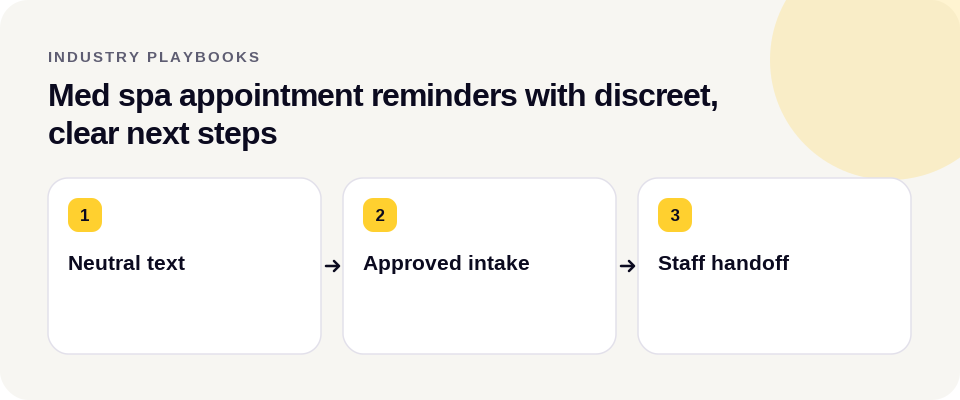
Make discretion the default, not an advanced preference
An appointment message can appear on a locked phone, a family tablet, or a forwarded email. That makes the subject line and first sentence as important as the message behind a portal. Default to a neutral appointment label, the date and time, and a known office contact. Use an approved location name where appropriate; do not assume the procedure name belongs in a notification. Ask the business’s responsible reviewer to approve each template and channel before launch. Clinics operate under different rules and workflows; a generic template is not proof that an office, vendor, or transmission channel meets its obligations.
Make client communication preferences part of intake. A patient who gives a number to receive a call does not necessarily expect procedure details by text. Staff should know which profile field describes a verified appointment channel and which field is only a general contact. A person who asks for a call at a safe time should not have to repeat that request in every visit. Map the preference to all future scheduled messages and create a review task for open ones. Test changes on a practice record before allowing sends for real patients.
Keep consults, preparation, and procedural instructions separate
A first consultation can be confirmed without saying which service the patient asked about. A procedure may require preparation reviewed by the clinic; never let reminder software automatically choose or rewrite those instructions. Use the message to direct the patient to the clinic’s approved channel, and provide a way to call if they cannot authenticate. A return appointment might only need the arrival time. Do not apply the most detailed pre-visit template to every slot simply because the message already exists. That creates unnecessary disclosures and makes it harder for patients to tell which steps matter.
Give intake steps owners as well as deadlines. If the message says a form is due by Tuesday, make sure someone can see completed forms on Tuesday and answer practical questions before the appointment. If a form is marked incomplete, explain where to find it rather than sending a second copy over an unapproved channel. A patient who says “I did this already” might have completed an old form attached to a canceled booking. Let an intake coordinator verify the record; an assistant should not ask the patient to forward sensitive attachments to a text inbox to settle the discrepancy.
Set a real human boundary on replies
If a reply contains a care question, uncertainty about preparation, or a report of symptoms, route it for prompt review through the clinic’s approved protocol. Do not train general reception staff to improvise instructions or tell the patient that a symptom is normal in a reminder thread. If you publish a statement that the inbox is not monitored outside office hours, back it up with the office contact process where the patient can find it. A request to reschedule is different: a front-desk team can respond with administrative options without discussing treatment notes.
Read an exported message queue as if it were a weekly handoff between staff. If someone can find sensitive details in a message title, search tag, or preview, removing them from the main body is not enough. Review a delayed job, a calendar integration, and a forwarded email preview. Where your provider exposes logs, ask how to limit access and retention according to the clinic’s approved policy. Never turn those considerations into a claim that a software setup is certified simply because it uses neutral wording. Actual safeguards involve administration and how systems send, store, display, and expose information.
Handle schedules and deposits without revealing more
Cancellation timing matters for many practices, but the reminder should not become the first place a person learns about a deposit or late fee. Keep those disclosures in the approved booking workflow and reference them separately if needed. Where a patient requests a different time, give two real openings or have staff contact them through the verified channel. Confirm the replacement before suppressing the original reminder, then verify no automation remains queued for the original time. A patient who reschedules should not need to guess whether both bookings are still on the calendar.
Use one time zone and spell out an unfamiliar location. Patients who receive reminders for two branches should know which reception desk is expecting them. Explicitly distinguish arrival time from service start if the office requires paperwork. For example, “Please arrive at 9:45 for your 10:00 appointment” is easier to follow than “Please arrive early.” If staff change the visit time on the same day, suppress any queued reminder for the old time and record who reached the patient. Repeated correction texts should not reveal why they were scheduled.
Review sample messages with the risk you actually face
Create practice records for shared contacts, declined texts, changed email addresses, missed replies, and incorrect recipients. Review the exact outgoing content together with the incoming text staff sees. The errors you want to catch are wrong person, wrong location, wrong visit, hidden detail in the subject, or no one assigned to an inbound reply. Let the team pause sends by channel and fix the source record before restarting. Track outcomes such as details removed, misroutes corrected, and incomplete intake resolved separately from the no-show count so you see whether the workflow is improving more than attendance.
A privacy check with practice data
Trigger a consultation, an incomplete intake step, and a rescheduled visit using fake records and a staff-controlled phone. Include one contact that has asked not to receive texts. Inspect the phone while it is locked and the office inbox after a reply. Avoid testing with patient data. Record which templates were approved by the business and who can pause them. If the final reply has no responsible owner, leave the incoming automation off until the practice decides how to route it. In the rehearsal record, note which kinds of replies are administrative and which staff must review through the clinic’s process.