Industry playbooks
Home service appointment reminders for arrival windows and dispatch
Create accurate home-service messages for arrival windows, technician updates, access, changes, and service completion.
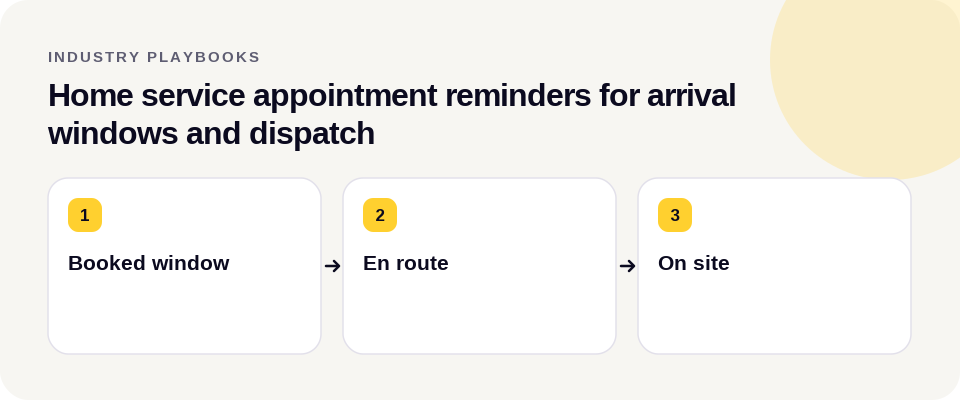
Promise a window you can actually keep
A plumbing, cleaning, or appliance service route is affected by the previous job and traffic. Don’t manufacture an exact appointment time when dispatch operates with windows. At booking, state “Tuesday, 10 a.m.–noon local time,” then state how a customer will hear about an approaching arrival. If technicians can only send an en-route message once they leave a previous site, don’t tell customers they will always receive a thirty-minute warning. Set the advance reminder to explain the promise the dispatcher can actually keep. Customers can then decide whether they need to rearrange work, access, or childcare.
Clarify whether the window means arrival or expected time on property. Installers may need several hours after arriving, while an estimate might take a fraction of that. Say what has been booked and whether a separate estimate or approval comes later. If the dispatch business groups two jobs at one address, make sure its customer notices distinguish the jobs. Families who book a repair and a routine visit may not know whether one technician handles both. The reminder can resolve this without promising which technician will arrive until dispatch has actually assigned the job.
Collect access details through the right channels
A reminder may ask a customer to confirm parking, whether someone will be present, and whether the team should use a named building entrance. Do not invite people to text a permanent door code or a lockbox combination to a general inbox. If access information is genuinely required, direct the customer to your existing secure process and limit it to the technicians who need it. Assign staff the responsibility to remove stale notes. Last month’s gate access should not silently become the instruction on tomorrow’s job simply because the booking system copied the property record.
Prepare for jobs where the booking contact is not the person at home. A landlord, property manager, or spouse could be the main point of contact, but a tenant may handle arrival. Ask the business which person receives the reminder and which can authorize work. Verify permission before disclosing names, phone numbers, or property details across contacts. A dispatch handoff should show who can answer arrival questions and who can approve scope changes. Don’t require technicians to infer that split from an old message thread or improvise disclosure rules on a doorstep.
Use events, not an optimistic timer, for route updates
Make “en route” an explicit technician or dispatch event. A timed send based only on the first stop can produce an update while the tech is still diagnosing another job. Pick a responsible dispatcher who sees when a window is at risk and who can offer a realistic replacement. If a route is behind, message the customer before the window passes whenever the delay is known. Include the revised expectation and a way to move the appointment. “Running late” alone offers no help to a customer who needs to leave by noon.
Do not combine duplicate updates from routing software, CRM, and a manual phone process. Choose one source for each event and verify what each channel sends as a job changes. For a returning technician, create a new booking tied to the original work order instead of reusing a completed slot. Set a distinct status for an unconfirmed return visit. An appointment reminder should never say “confirmed” because a dispatcher typed a possible date into a free-text note. The field that controls sends must represent the actual customer agreement.
Work through the hard cases before launch
Run a rehearsal for a late route, inaccessible property, customer reschedule, and partial completion. In the inaccessible property example, a technician may be parked outside while dispatch waits for a call. Decide who sends the first message, how long they wait, and what the customer receives if the team leaves. Don’t impose a fee in the first missed-access notification unless your team is following a clear earlier policy. For a partially completed job, tell the customer whether the next visit is scheduled or pending and keep the open status visible in dispatch.
Test how new ETA estimates are shown to the customer. Send a fake dispatch trail to a practice contact and adjust the technician twice. Verify that only the latest relevant estimate goes out and the old window is not accidentally repeated. If a customer initiates a change, tag the message as awaiting confirmation until a real slot is agreed. Cancel old reminders once confirmed. Make a phone number visible to people who struggle with links; for urgent operational issues, a contact method that actually works matters more than an elaborate message layout.
Evaluate fewer missed connections, not more sends
Track on-time window arrivals, addresses with failed access, appointment changes received before dispatch, and customer calls asking when the technician will arrive. These indicators matter more than a count of SMS messages successfully queued. Review separately by route and service type: delays on a long installation route can mask an improvement in routine inspection updates. If the volume of late-arrival questions falls but only because staff are extending every window, adjust the capacity plan. Remember that reminders reveal weak scheduling promises; they don’t create more time on a full route.
One route, two false starts
Create one mock service visit with a noon-to-two arrival window. Simulate the technician accidentally tapping en route, then reassign the job. Verify that a manual correction names the actual booked window and current expectations. Repeat when the route is genuinely delayed rather than canceled. The successful outcome is not “all three messages sent.” It is that the person at the property sees one clear current instruction, and dispatch can find the next action without calling the original technician. If a demo code or key instruction was added for the drill, remove it before your first live send and record who checked the route.