Industry playbooks
Barbershop appointment reminders for booked cuts and walk-in queues
Write barbershop texts that distinguish fixed appointments, open-seat offers, and walk-in estimates without creating double bookings.
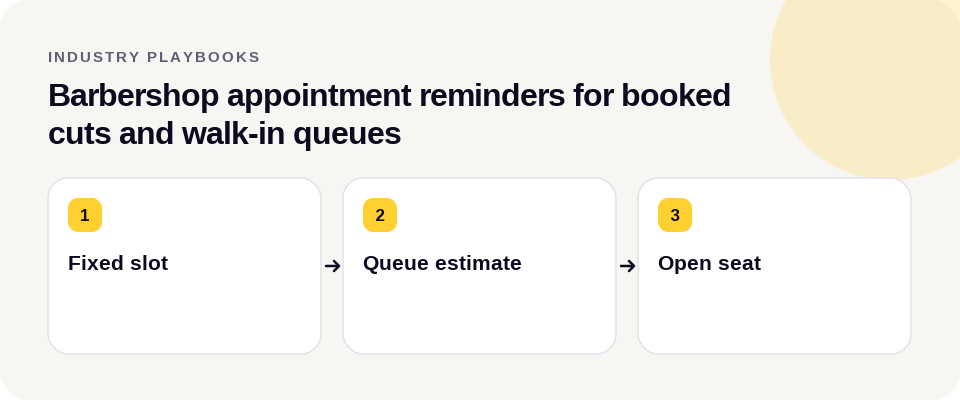
Teach customers which kind of time they have
A barbershop can run a timed appointment book and a walk-in list on the same Saturday. That works until a text tells an arriving walk-in that their “appointment” is coming up. Reserve the word appointment for a fixed time on the barber’s calendar. Write estimated wait for a position in line and open seat offer for a spot that is not yet reserved. Give the front desk a visual distinction on its own calendar. A booking made online, an in-person queue ticket, and a cancellation offer should not generate the same message, even when the phone number belongs to the same person.
Avoid promising service within a precise number of minutes from a queue that still depends on chair turnover. A useful estimate gives a clear next step: stay nearby, check in with the desk, or return when invited. If the customer must be in the shop once called, say that when they join. Do not use a reminder to quietly add a restriction that was not part of the sign-up. Keep the intended neighborhood or storefront in the message if your business has more than one location. Saturday foot traffic can hide how frequently a customer is calling the wrong shop.
Fit the time to the actual cut booked
Use the service name “cut” or “cut and beard” rather than “your service.” A parent may have booked back-to-back children’s slots; the time of the first does not imply the second can start early. An appointment with a specific barber should say who that barber is. A booking designated “first available” should not be assigned a name in the reminder unless it has been assigned in the actual calendar. If staff move between locations, double-check that messages reference the customer’s booking location, not the barber’s preferred or usual shop.
Plan how to handle add-ons. The chair behind schedule at 4:00 is not an ideal time to negotiate an extra razor service. Invite people to contact the shop if they want to change the booking, but never imply the text reply itself updated the service. Keep a staff note that explains which add-ons can be offered late and how much schedule slack is required for each one. The desk should be able to say “we can keep your cut today and book the beard service separately” as easily as rescheduling the whole appointment.
Don’t reward silence or punish an unclear reply
A reply “on my way” might refer to a walk-in notification, not a later appointment with another barber. If the contact has multiple open records, send staff a task to identify the booking instead of assigning the response automatically. A client who never replies is not necessarily a no-show and should not come off the calendar unless your confirmed booking policy explicitly establishes a deadline and the guest was told when booking. If a return text says a chair is ready, give the grace period and how to rejoin the queue if they cannot make it. Short lines reduce disputes on busy days.
Consider assigning a shift lead to the inbox even if everyone can see it. Multiple barbers can otherwise respond to one client and make conflicting promises. A single action owner marks a conversation pending, then books the promised chair and closes the loop. If a customer walks in while waiting for a response, staff should close the digital thread rather than leave an automation scheduled to send a conflicting update. Test the opening, handoff, and close during a slower shift to identify which screens make the two kinds of reservations look too similar.
Plan the five minutes around an open chair
When a booked client cancels, decide whether to pull from the walk-in list or offer the reserved spot to a matched client. If you offer it to the list, temporarily mark the chair as under offer and establish an expiration. If you instead pull the next walk-in, clear the offer so an old text cannot create a second claim. Test this with two different staff phones during a drill: one customer clicks while another stands at the desk. Only the first completed booking wins, and the next message must make that outcome clear.
Avoid adding a generic “walk in now” message to an automated schedule. Capacity is not static, and a text sent as the door opens may be read half an hour later. If you use expiring offers, include the exact day and time in both the original offer and the final confirmation. Keep an in-shop contact number for people who cannot access the link. If a policy says only one person may reserve per number, make sure staff can still book for families without overwriting someone’s fixed appointment.
Use a metric that separates waiting from no-shows
Track missed fixed bookings, walk-ins who leave before service, and canceled slots refilled. They are different problems. If fixed bookings improve while walk-in abandonment worsens, the problem may be an inaccurate wait estimate rather than reminder timing. During review, listen to actual questions front desk staff received and match each question to the relevant message. “Which location?” means the fixed appointment needs a branch name. “Did I get it?” means the slot offer needs a clearer completion status. Solve those before sending more reminders.
A Saturday owner drill
Make three fake records before the rush: a booked beard trim, a walk-in, and an open chair offered by the desk. Have a second staff member read the messages without opening the calendar. They should be able to say which person has a fixed place, which is waiting for a call, and which must complete a booking. If they can’t tell, do not send to customers yet. Rework the appointment label and the call to action before changing what the dispatch rules do. Use different test phone numbers in your rehearsal so the result does not depend on messages arriving in a lucky order.