Software buyer's guides
SMS vs email appointment reminders: when to send each
Choose a reminder channel by how much the recipient needs to know, how quickly they need to act, and how reliably your staff can handle replies.
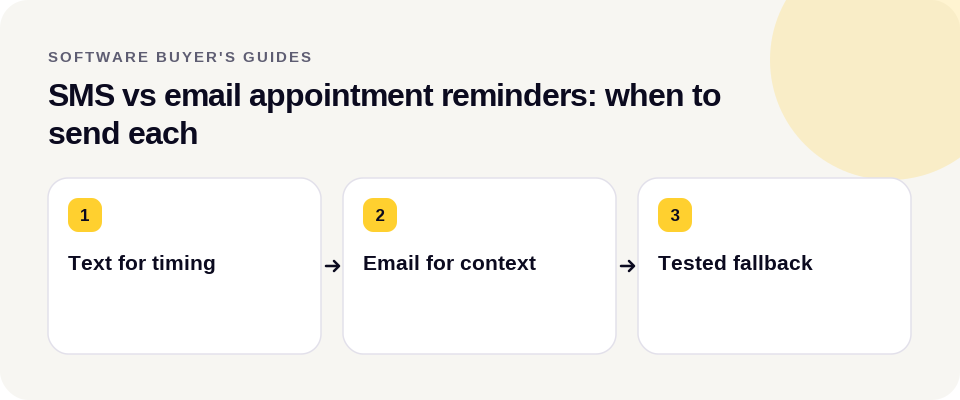
Start with the job, not the channel
A reminder is doing one of three jobs: helping a person remember a commitment, helping them prepare, or giving them time to change plans. A short text may do the first job well but do a poor job of explaining where to park, how to join a video session, or what to bring. A well-written email can cover those details yet still go unnoticed on a busy morning. Rather than choosing one channel as your default for every type of booking, choose the job that matters most for a particular appointment and work backward from that.
Make a list of the consequences of a missed instruction. An attendee who forgets to leave enough time to park may arrive late; one who does not have the necessary documents may need a second appointment. If the instruction matters equally even when the recipient does not read an immediate nudge, put it in the booking confirmation, not only in the reminder.
When text makes sense
Use SMS for a small request with a near-term deadline: confirm tomorrow’s slot, let the business know you are running late, or use the rescheduling link by a stated time. Identify the sender immediately. Include a date, time, and route back to the business. A recipient should be able to understand the essentials without tapping the link, especially if the sender’s number is new to them.
Example: Mapleridge Studio: Your appointment is Wed Jun 10 at 3:20 PM at 17 Reed St. Reply C to confirm or call 555-0104 to change it.
Only ask people to reply if the number can receive replies and you have tested what happens next. If your system can capture a confirmation but ignores ordinary questions, avoid saying “reply with any questions.” Provide a monitored alternative. A delivery status can help tell you that a carrier accepted or delivered a message, but it does not tell you the recipient read it or agreed to attend.
When email does more work
Use email for details someone may want to find again: maps, building access, contact information, instructions, cost estimates, or the agenda for a long session. Put the appointment date and time near the top. Keep the subject recognizable on a phone; a generic subject like “Important information” asks the reader to investigate before they know why. Appointment-specific links should be easy to distinguish from footer links, and an alternative phone number should be visible without loading images.
Example: Subject: Thursday’s 10:30 AM appointment at Northline Audio. Body: We’ll meet at 10:30 AM on Thu Jun 11. Use the side door marked Studio B. Your session runs about 45 minutes. Bring the files we discussed. To change your time, call 555-0117.
Check the reply address, not just the From line. An email can appear to come from a named coordinator while replies quietly disappear into an unmonitored address. Send a test from an outside inbox and reply from the phone app a customer is likely to use.
Use both without sending the same message twice
For a first appointment, send an email when the booking is made and a compact text the day before, if the recipient is eligible for that channel under your policies and has not declined it. Give each send a different purpose. The first email explains what will happen and answers likely questions. The text surfaces the time and provides a simple route to confirm or change. Send a follow-up only if it solves a new problem, such as a room change, a requested callback, or a pending booking where staff still have time to fill the slot.
Avoid automatic escalation from an unopened email to repeated SMS. It is normal to have incomplete information about what a customer has read. A better policy is based on a missed decision deadline and the cost of leaving it unresolved. Define in advance whether an unconfirmed appointment remains held and what a staff member should do with it. Do not imply that a booking will be released unless that is a real, communicated policy.
Plan for wrong numbers, shared inboxes and interruptions
Collect only the contact details you need and offer a simple way to correct them. People share email addresses and receive text previews on phones other people can see. A reminder need not carry the entire appointment record. For private services, put detailed instructions where the customer can access them securely rather than in the notification itself. If a text fails, do not assume a second channel is permitted or usable; check the customer’s contact preference and your process first.
Inside the business, route “Please call me,” “I can’t make it,” and ambiguous replies to staff, not the spam folder. After an appointment changes, verify the scheduled job tied to the old time is removed. A perfect channel choice cannot repair an incorrect date. Run a mock booking, reschedule it twice, and look for any send tied to the obsolete versions of the booking.
Use a one-week comparison before changing everything
Choose comparable appointment types and compare two reasonable sequences, such as confirmation email plus text versus confirmation email plus an email reminder. Preserve accessibility and known channel preferences. Track who qualified for each sequence and how many appointments were attended, canceled in time to rebook, canceled late, or missed. Separately record failed deliveries and staff time spent on exceptions. Incoming reply counts are useful process feedback, but they are not a substitute for attendance and may reflect people who were already planning to show up.
Suppose the text group confirms more often but attendance is unchanged and staff need thirty extra minutes to clear the inbox. That supports changing the reply process, not necessarily sending more text messages. If cancellations come earlier and staff can fill those openings, improved capacity may justify the approach even without a headline attendance change. Keep a short note of what you tested so that a holiday week or staffing change does not get mistaken for a channel effect.
The decision to keep
If preparation is the risk, start with email. If a timely decision is the risk, use text with a tested action. If reliable contact and correct data are the risks, fix those before adding reminders. And when you use both channels, let each message answer a different question. The best reminder is often the one a busy person can act on without searching for a second message.